Therapist Resources · Platform Guide · July 2026

How to Cancel Your Psychology Today Profile

Decided Psychology Today isn't working for your practice anymore? Cancelling your profile, subscription, or membership is straightforward once you know where to look. Here's the exact process, plus your options if you just need a break rather than a permanent exit.

7 min read · Healthcare IT Solutions · Published 10 July 2026

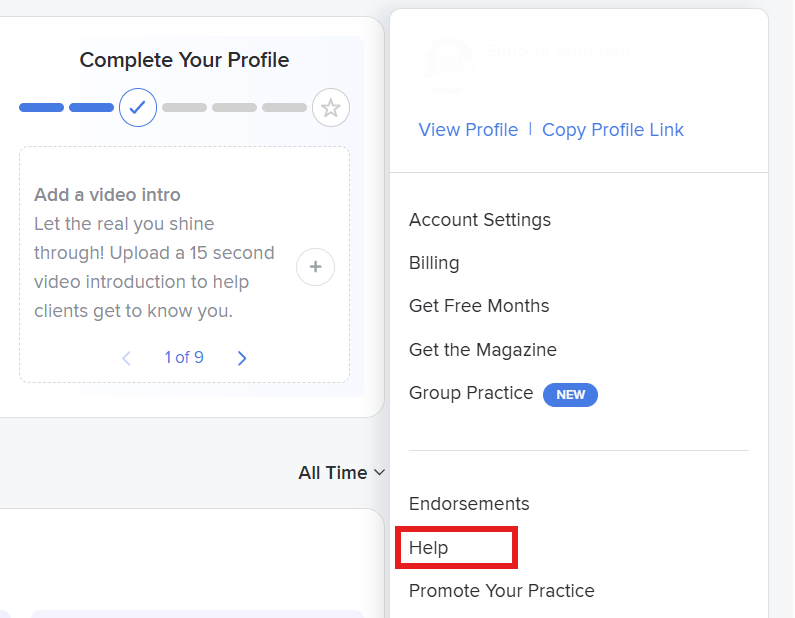
If you wish to cancel your Psychology Today profile, please log into your practitioner account, go to Account Settings or Billing, find your current subscription, click on Cancel Subscription, and confirm. You will get an email confirming that this has been done.

Therapists should be aware of their options before cancelling. They can pause the profile (temporarily hides your listing while keeping all data intact), deactivate (makes the listing invisible without closing the account), or permanently delete the account (irreversible).

Psychology Reactivating a paused or cancelled Today the profile is easy, just log in, go to subscription settings and renew When contacting Psychology Today support, the confirmation email is your proof if charges appear after cancellation.

In this guide, you'll get the exact steps to cancel your Psychology Today profile, membership, or subscription plus how to pause, delete, or reactivate your listing if that's what you need.


Before You Cancel Know Your Options

A lot of therapists go looking for the cancel button when what they actually need is a pause. Psychology Today gives you a few different options when you want to stop or reduce your listing.

Alos Read: Top therapy practice Management Software
Temporary Options
  • Pause your profile hides your listing from the public directory temporarily while keeping your account and data intact
  • Deactivate your profile similar to pausing; makes your listing invisible without fully closing your account
Permanent Options
  • Cancel your subscription ends your monthly payments and removes your listing from the directory
  • Delete your profile entirely permanently removes your listing and all account data; cannot be undone
Also Read How to Rank Higher on Psychology Today: The Complete Optimization Guide

How to Cancel Your Psychology Today Profile | In 5 Steps

1

Log In to Your Psychology Today Account
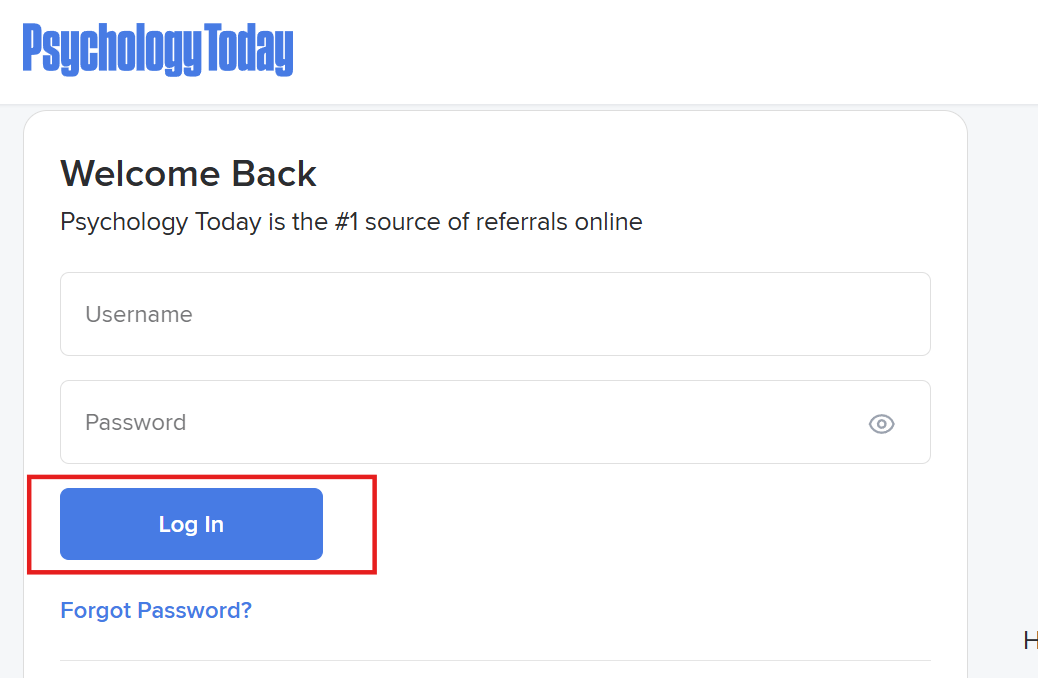
Go to psychologytoday.com and sign in using the email address and password linked to your practitioner account. Make sure you're logging in as a therapist or professional not as a general user or client.

2

Go to Your Account Settings

Once logged in, look for your account menu usually accessible via your name or profile icon in the top right corner. Click on Account Settings, My Account, or Billing & Subscription the exact label may vary slightly depending on your account type and when you signed up.

3

Find Your Subscription or Membership Details

Inside your account settings, locate the section covering your active subscription or membership. This is typically labelled Subscription, Membership, Billing, or My Listing. Here you'll see your current plan, your next billing date, and the options available to you.

4

Select Cancel Subscription (or Pause if You Prefer)

Click on the option to Cancel Subscription or Cancel Membership. Psychology Today may walk you through a short exit flow they'll likely ask why you're leaving and may offer to pause your account as an alternative. If you genuinely want to cancel, continue through the prompts until you reach the final confirmation step. If you'd rather pause, look for the Pause Profile or Deactivate Listing option at this stage.

5

Confirm Your Cancellation and Check Your Email

Complete the cancellation by confirming your decision when prompted. You should receive a confirmation email from Psychology Today to the address on your account. Keep this email. If you're ever charged after your cancellation date, it's the evidence you'll need when contacting their support team.


Pause, Deactivate, Delete, or Reactivate Your Full Options

How to Pause Your Profile

Follow Steps 1–3 above, then look for a Pause Profile, Hide Listing, or Temporarily Deactivate option rather than cancelling outright. Pausing removes your listing from the public directory, keeps your account and data intact, and lets you reactivate instantly when you're ready. Best for parental leave, sabbaticals, or temporarily reducing caseload.

How to Deactivate Your Profile

Deactivating sits between pausing and deleting it makes your listing invisible to clients browsing the directory, but keeps your account and all data on file. To deactivate, follow the same process as pausing and look for Deactivate Profile, Hide Profile, or Suspend Listing in your account or subscription settings.

How to Delete Your Profile Permanently

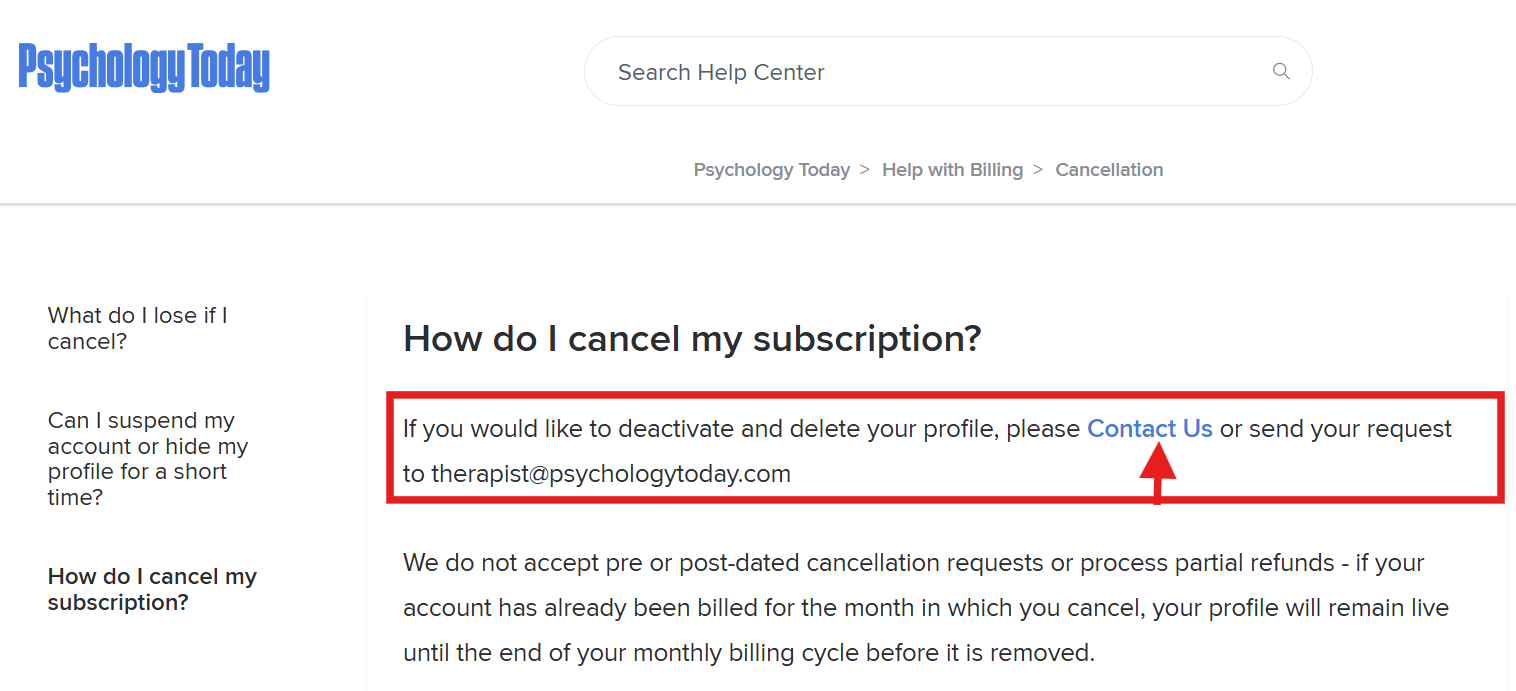
Log in, go to Account Settings, and look for a Delete Account or Close Account option this may be under a settings or privacy section. If you can't find it, contact Psychology Today's support team and request account deletion. Deletion is permanent your profile, bio, endorsements, and history cannot be recovered. Only choose this if you're certain you won't return.

How to Reactivate Your Profile

Log in to your account, go to your subscription or membership settings, and select Reactivate, Resume Listing, or Renew Subscription. Update your billing details if needed and confirm your profile will go live again once payment is processed. If you fully deleted your account, you'll need to start from scratch with a new sign-up.


Having Trouble Cancelling? Here's What to Do

If You Can't Cancel or Have Been Charged After Cancelling
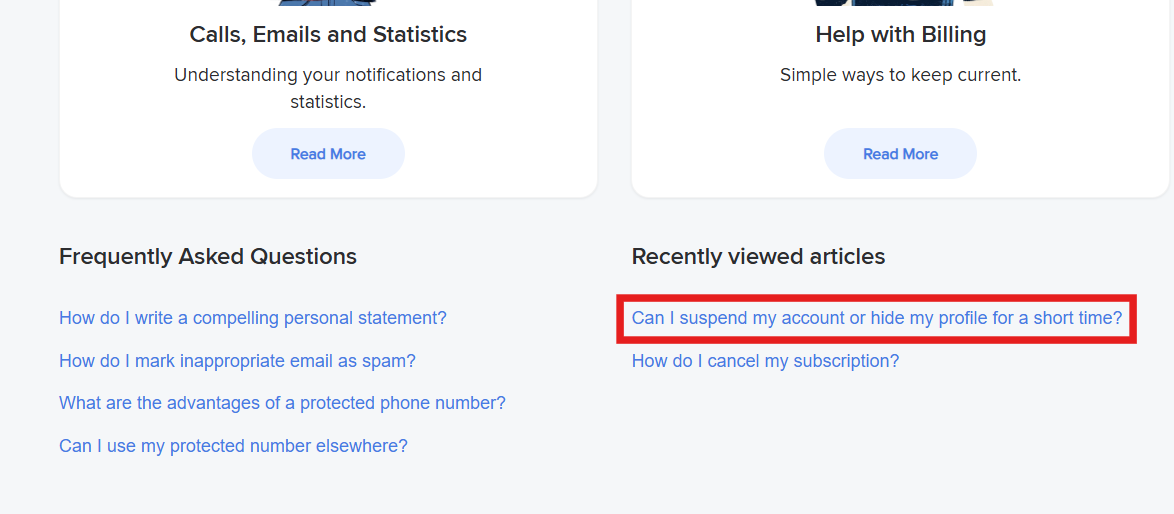
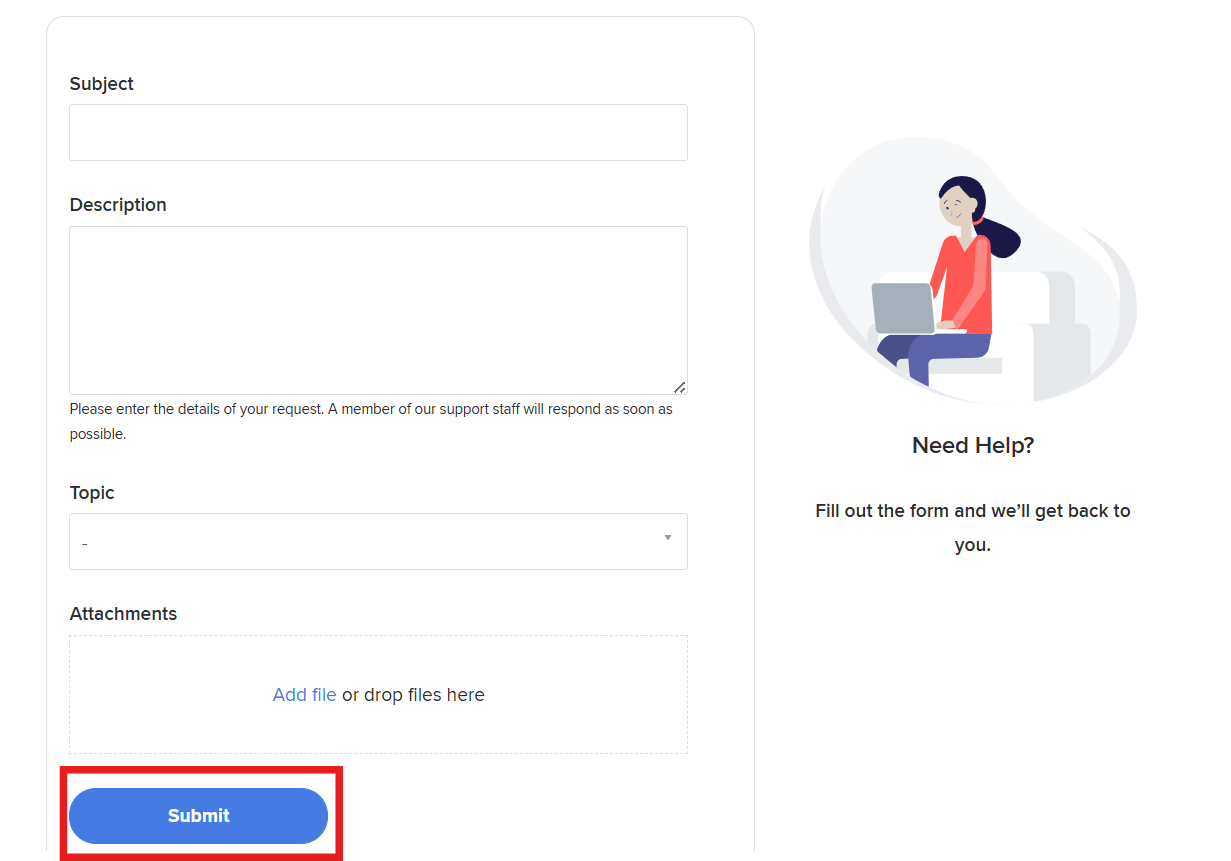
  • Contact Psychology Today support directly. Their customer support team can process a cancellation or confirm the status of your account. Look for a Contact Us or Help link at the bottom of the Psychology Today website.
  • Check your billing statement. Make sure you know the exact date your next payment is due. Cancel before that date to avoid being charged for another month.
  • Use your confirmation email as proof. If a payment goes through after you've cancelled, forward your cancellation confirmation email to their support team and request a refund.
  • Check whether you signed up via a third party. If you originally subscribed through the App Store or Google Play, you may need to cancel directly through your Apple or Google account settings not through the Psychology Today website itself.

What to Do After You Cancel

Cancelled your Psychology Today listing and wondering what comes next? This is a good moment to take stock of your broader online presence because if Psychology Today was your primary source of client enquiries, you'll want to replace that pipeline before you feel the gap.

Build a Client Pipeline You Actually Own

The most common next step for therapists and counsellors who leave directory platforms is building or improving their own website. Unlike a directory listing, a well-optimised therapist website is something you own completely. It ranks in Google for searches in your area or specialism. It generates enquiries without a monthly fee. And it doesn't disappear when an algorithm changes or a platform increases its prices.

Replace Directory Reach With Local SEO

A targeted local SEO strategy ensures your website ranks directly in Google for searches like "therapist in [your city]" or "counsellor for anxiety [your area]" bringing enquiries to you around the clock, without a subscription fee. It's the long-term alternative to renting visibility on a third-party platform.

Also Read How to Get More Therapy Clients: Proven Strategies

Frequently Asked Questions

Log in to your practitioner account, go to Account Settings or Billing, find your active subscription, and select the option to cancel. Follow the prompts to confirm, and save the confirmation email you receive. Your listing will be removed from the directory at the end of your current billing period.
The process is the same as cancelling a subscription log in, go to your account or billing settings, locate your active membership, and choose to cancel. If you're having trouble finding the option, contact Psychology Today's support team directly.
In your account settings, look for a Pause Profile, Hide Listing, or Temporarily Deactivate option rather than selecting full cancellation. Pausing hides your listing from the public directory but keeps your account and data intact, allowing you to reactivate easily when you're ready.
Go to your account settings and look for a Delete Account or Close Account option. If this isn't visible, contact Psychology Today's support team and request permanent deletion. Be aware that this is irreversible all your profile data, endorsements, and account history will be permanently removed.
Log back in to your account, go to your subscription or membership settings, and select the option to reactivate or renew your listing. Update your billing details and confirm your profile will be restored and go live once payment is processed.
Psychology Today's refund policy can vary. In most cases, cancellation takes effect at the end of your current billing period rather than immediately meaning you retain access until that date without a partial refund. Check their current terms or contact their support team directly for specifics about your account.

And if cancelling Psychology Today means you need a new way to attract clients that's exactly the conversation we have every day. Healthcare IT Solutions builds websites and SEO strategies for therapists, counsellors, and life coaches across the USA and UK giving you a client pipeline that's entirely yours, with no monthly listing fees and no algorithm to worry about.

Book a free consultation → Let's build something that works long term.